
Many pieces of equipment and wireless sensors contain information about their internal state. This information is often provided as a very small whole number, such as 0 or 1.
In the Critical Labs web app, if you add a sensor that contains state, the default behavior is to treat it like a number. However, with a little shorthand trick, you can convert these values from displaying as numbers to displaying as states (such as "On" or "Off").
To convert a sensor from a number value to a state, you must specify a unit using the shorthand colon (:), pound (#), colon (:). Here are a few examples:
On:#:Off - In this example, a state of '0' means 'On', and a state of '1' means 'Off'
Normal:#:Alarm - In this example, a state of '0' means 'Normal', and a state of '1' means 'Alarm'
Off:#:Starting:#:Error:#:On - In this example, a state of '0' means 'Off', a state of '1' means 'Starting, a state of '2' means 'Error', and a state of '3' means 'On'
Example
Let's walkthrough converting a sensor from a numerical value to a state. First, we assume that we've opened the righthand menu and selected Gateways. Then we've selected a relevant gateway from the list, then selected a relevant piece of equipment. This will bring us to the equipment's information page. On the righthand side of this page there will be a list of sensors:
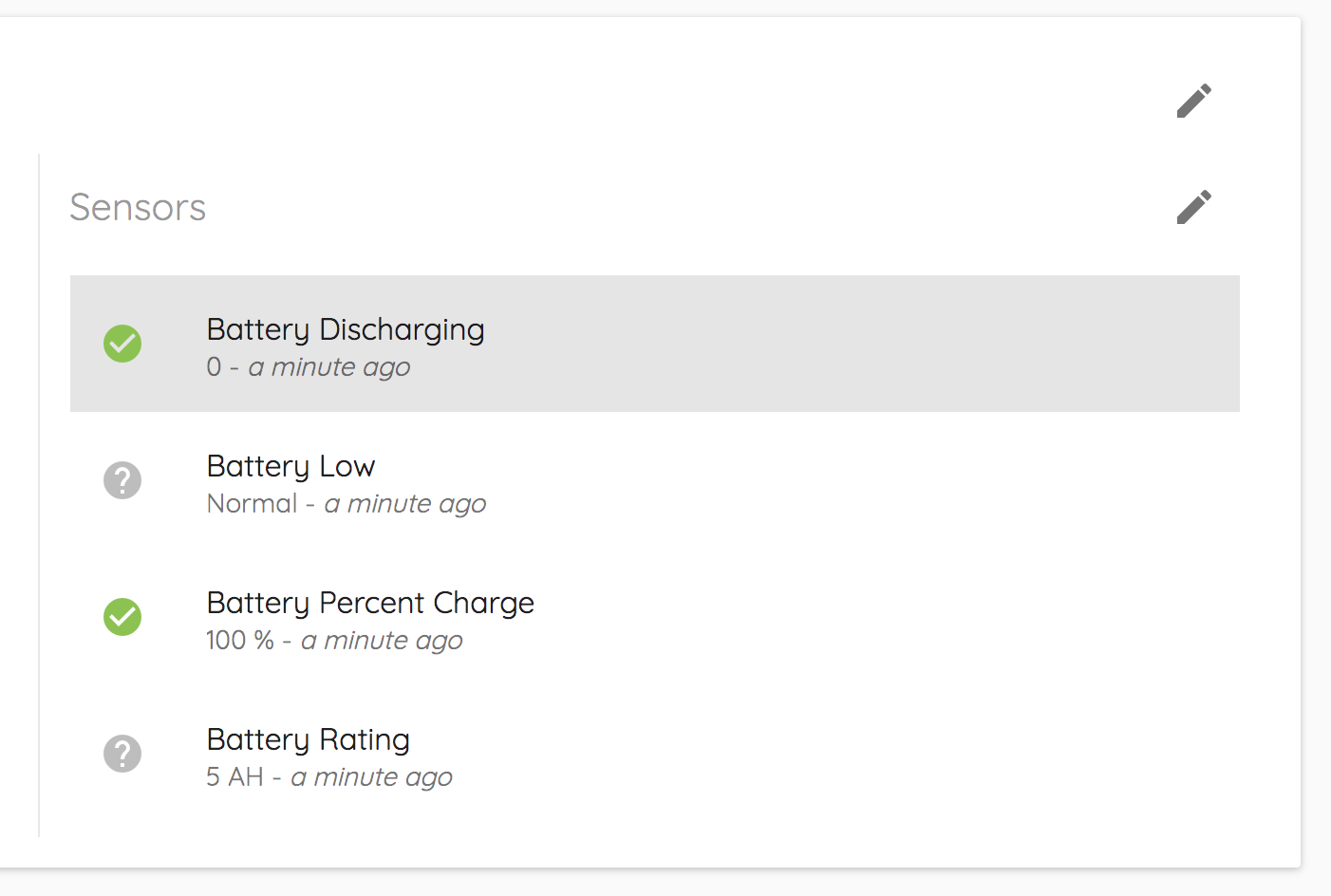
The highlighted sensor is actually a state sensor, but it is currently displaying as a number (in this case as a 0).
To edit this, we will click the edit button next to Sensors. This brings us to a sensor management page, where we will scroll down to the Battery Discharging sensor:
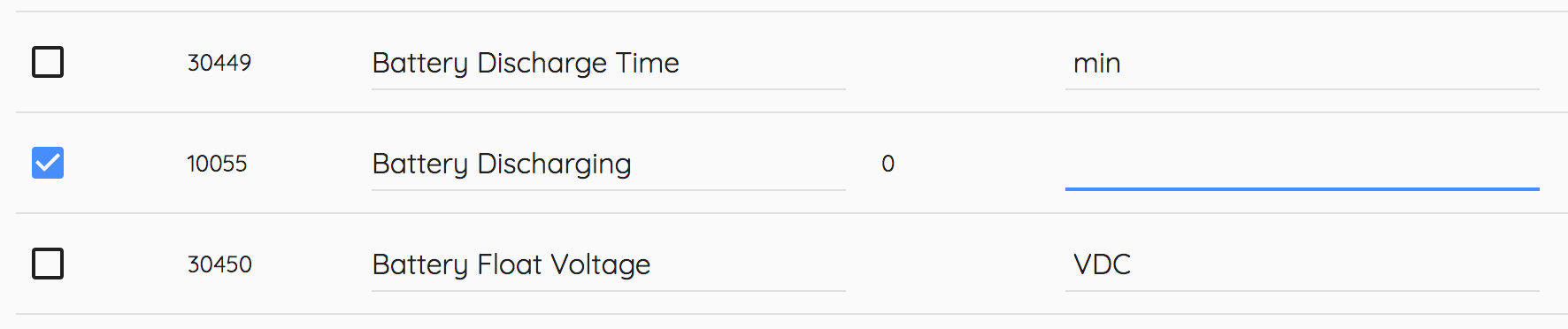
You will see here that the unit column is empty. We need to create our shorthand and add it to the unit column to have it show up as a state. Because manufacturer documentation tells us that a state of '0' means that the battery is 'normal' and that a state of '1' means the battery is 'discharging', we will input the following shorthand: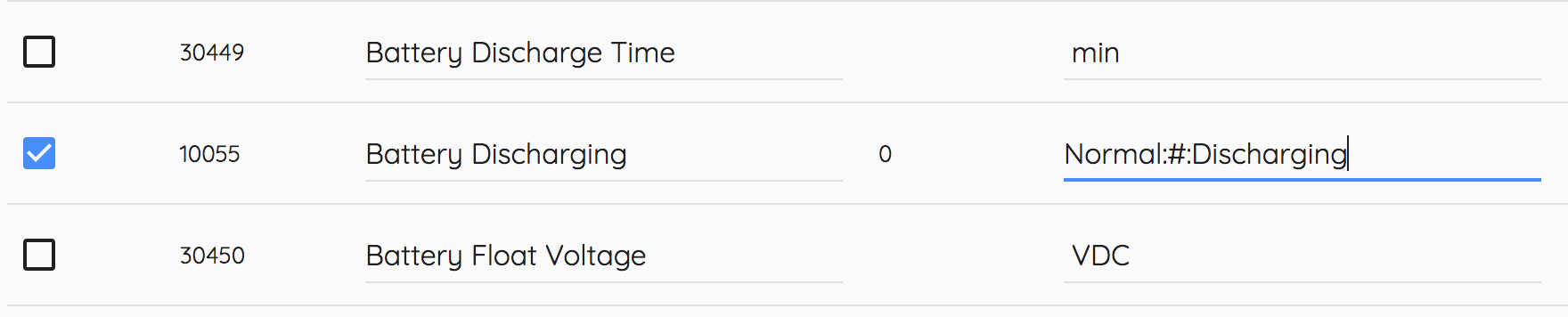
Then will click Save.
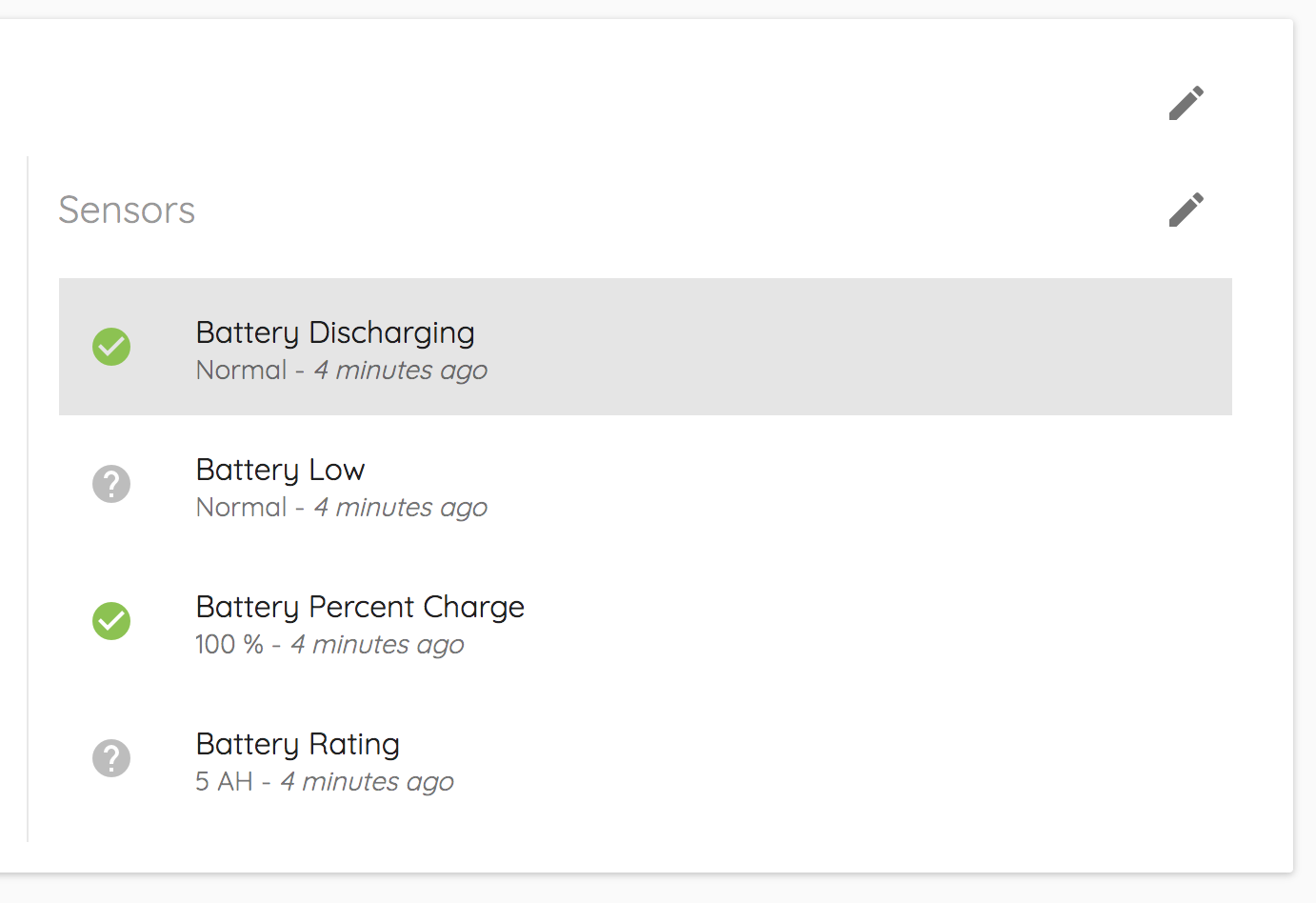
When we go back to the equipment page, we now see that the Battery Discharging sensor now shows 'Normal' instead of '0'! We've successfully changed this sensor to a state sensor!
Comments
0 comments
Please sign in to leave a comment.