
The countdown widget is one of the many widgets available to you on a view.
Use a countdown widget to create a timer to remind you to do a task. Typically, equipment has maintenance that needs to be done quarterly, biannually, or yearly. You can create a countdown widget on your View, and we will send you an email alert based on the `reminder date` and `expiration date` you set when creating the timer.
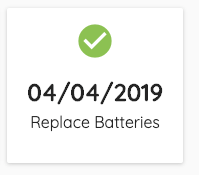
Resetting an Expired Timer
Timers can also be reset on an interval. After the timer is past the `reminder date`, you will have the ability to reset the timer by clicking the reset icon in the bottom right corner of the widget.
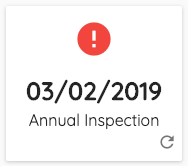
Resetting the timer will add a `repeat interval` (in months) to the expiration date and reminder date. For example, if your timer repeats quarterly, and it expired on 01/01/2019, resetting the timer would make the new expiration date 04/01/2019.
Example
The following widget has expired and has a quarterly (3 month) repeat interval:
Click the reset button in the lower right hand corner.
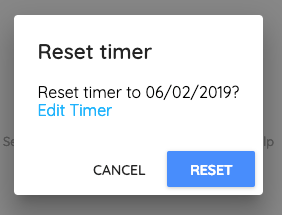
A popup will appear with the date to be reset to. Click Reset to reset the timer to the shown date, or click Edit Timer to update the interval or to manually reset the expiration and reminder dates.
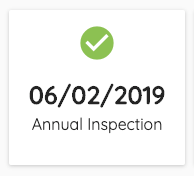
Upon reset, the new expiration date will be shown.
Comments
0 comments
Please sign in to leave a comment.