
SNMP Traps are alert messages sent from an SNMP-enabled device to the Critical Labs gateway. Traps provide information during an alarm event that is useful for diagnosing an issue. Critical Labs does not rely on traps for sending alerts, but rather as an informational log.
Viewing Traps
To view the traps for a piece of equipment, click Login to criticallabs.com, enter your email and password, and click on My Equipment from the top righthand menu. Select your gateway (Note: traps are only supported on version 2 gateways). Select the piece of equipment that you wish to view traps for.
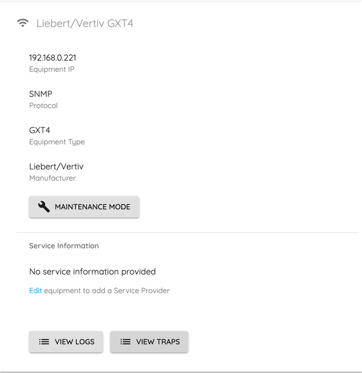
Click the View Traps button located under Service Information. This will bring you to a list of the most recent traps reported by that piece of equipment.
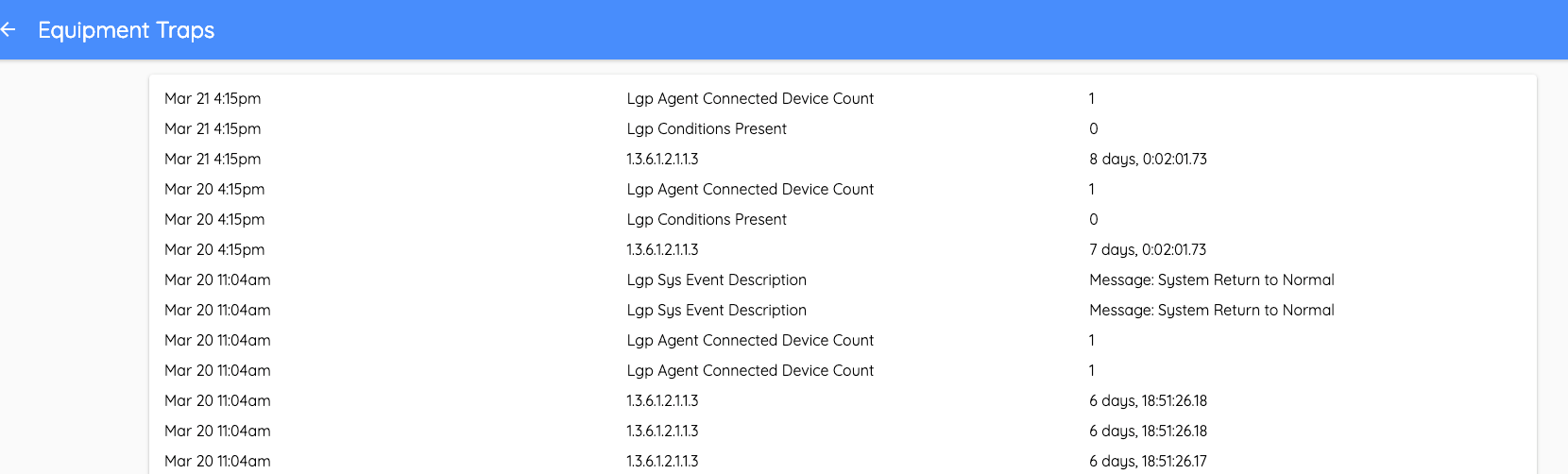
If you do not see a list of traps when you get to this page, your equipment may not be configured to send traps to the Critical Labs gateway. Configuration steps vary based on the type of equipment, but we have step-by-step guides for setting up traps on Vertiv equipment with Unity cards as well as ServersCheck sensors.
Comments
0 comments
Please sign in to leave a comment.